Configuring Editor Settings
The Editor Settings window allows you to configure different aspects of the editor the way you want them. It’s important to note that the editor settings are not specific to a single module, once you make a change to settings of the editor that setting will always be changed regardless of which module you have open in the SlidePoint Editor.
Show Contextual Buttons
Enable this option to display contextual buttons (i.e. bold, italic, underline) in a toolbar above the current selected object.
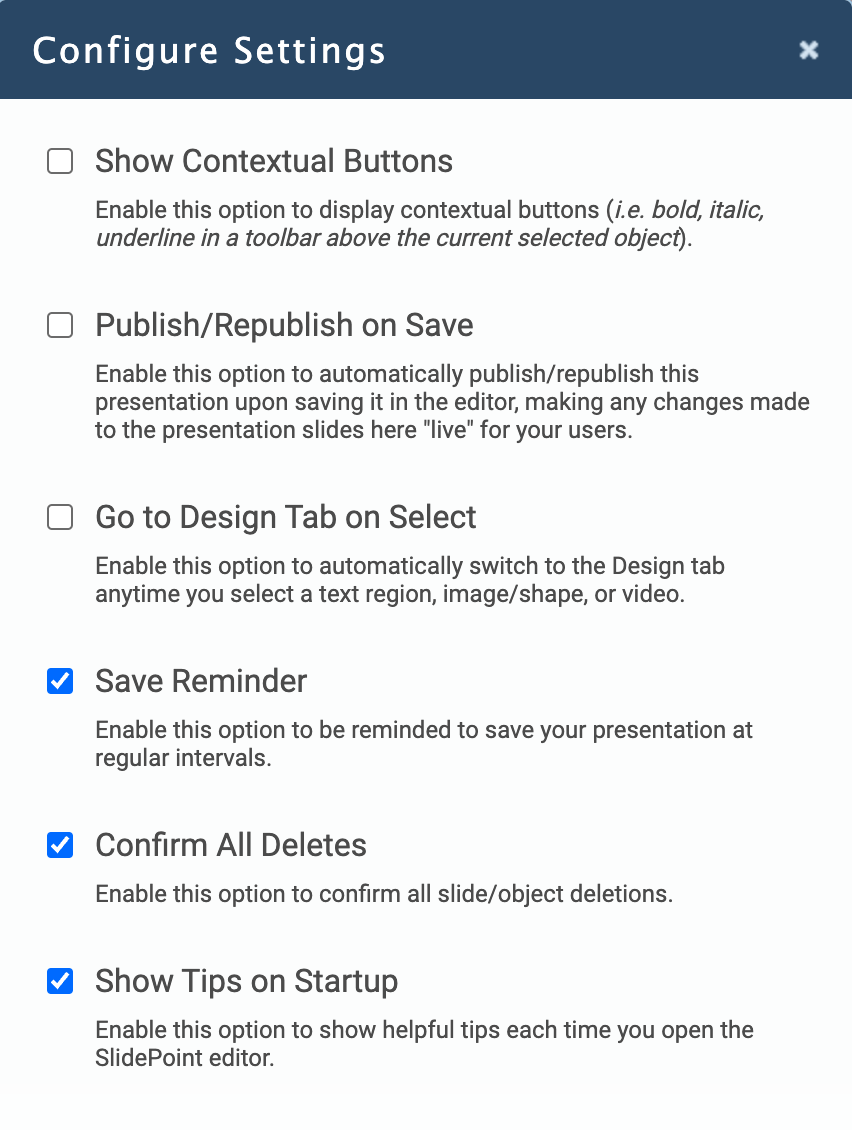
Publish/Republish on Save
Enable this option to automatically publish/republish the current module upon saving it in the editor, making any changes made to the module slides here "live" for your users.
If you’re only making a minor change to your module (i.e. correcting a spelling error) then this is an option you would enable, allowing you to make the change and click Save, fixing the error in both the saved module and the published module.
If you’re making a series of change or major changes (i.e. adding and removing slide content) you may want to disable this setting, allowing you to work and save the module without affecting your users.
Note: the publish/republish on save option only works when you click the save option in the Save Reminder or when you save the module by clicking the Save icon (disk) in the top-right corner of the editor toolbar. The save that is performed when you preview a module from the SlidePoint editor will not automatically publish your module.
Go to Design on Select
Enable this option to automatically switch to the Design Tab anytime you select an object on the slide canvas (text region, image/shape, or video).
Save Reminder
Enable this option to be reminded to save your module at regular intervals. The save reminder will appear in the editor toolbar next to the Insert, Design, and Edit tabs automatically after five minutes without a save.
Confirm All Deletes
Enable this option to confirm all slide deletions and object deletions before actually removing the item from the module.
Show Tips on Startup
Enable this option to show helpful tips each time you open the SlidePoint editor.
The Editor Settings window allows you to configure different aspects of the editor the way you want them. It’s important to note that the editor settings are not specific to a single module, once you make a change to settings of the editor that setting will always be changed regardless of which module you have open in the SlidePoint Editor.
Show Contextual Buttons
Enable this option to display contextual buttons (i.e. bold, italic, underline) in a toolbar above the current selected object.
Publish/Republish on Save
Enable this option to automatically publish/republish the current module upon saving it in the editor, making any changes made to the module slides here "live" for your users.
If you’re only making a minor change to your module (i.e. correcting a spelling error) then this is an option you would enable, allowing you to make the change and click Save, fixing the error in both the saved module and the published module.
If you’re making a series of change or major changes (i.e. adding and removing slide content) you may want to disable this setting, allowing you to work and save the module without affecting your users.
Note: the publish/republish on save option only works when you click the save option in the Save Reminder or when you save the module by clicking the Save icon (disk) in the top-right corner of the editor toolbar. The save that is performed when you preview a module from the SlidePoint editor will not automatically publish your module.
Go to Design on Select
Enable this option to automatically switch to the Design Tab anytime you select an object on the slide canvas (text region, image/shape, or video).
Save Reminder
Enable this option to be reminded to save your module at regular intervals. The save reminder will appear in the editor toolbar next to the Insert, Design, and Edit tabs automatically after five minutes without a save.
Confirm All Deletes
Enable this option to confirm all slide deletions and object deletions before actually removing the item from the module.
Show Tips on Startup
Enable this option to show helpful tips each time you open the SlidePoint editor.