If you want training that changes behavior instead of just generating completions, stop treating each course as a one-time event and start running it like a campaign: a planned calendar of touchpoints, spaced refreshers, and measurement that runs across the whole year rather than stopping at launch week. A course with a start date and no follow-up behaves exactly like a marketing send with no follow-up. Most of its impact evaporates within weeks.
What Does It Mean to Run Training Like a Campaign?
Marketers learned a long time ago that a single message almost never converts. That is why they build nurture sequences: a planned series of touches, each one doing a specific job, spaced deliberately across weeks or months. The first touch creates awareness, later ones build understanding, and the final ones drive action.
Training deserves the same architecture. A course launch is the beginning of a campaign, not the whole campaign. The initial course creates awareness and first-pass understanding. What follows (refreshers, practice scenarios, spaced quizzes, manager check-ins) is the nurturing that turns exposure into durable skill.
The vocabulary transfers cleanly. Marketers talk about cadence, touchpoints, segments, and drip sequences. A learning calendar uses the same mechanics: who gets which touch, when, and in what format, with a plan for the people who did not respond the first time.
Why Does One-and-Done Training Fail the Way a Single Send Does?
Because memory works against single exposure. Industry research on the forgetting curve consistently shows that without reinforcement, people lose most of newly learned detail within days, and what survives is rarely the part they need on the job.
A completion certificate records that someone sat through a course. It says nothing about what they will remember in March. When the stakes involve compliance, safety, or customer-facing quality, that gap between “completed” and “retained” is where risk lives.
We covered the mechanics of this in detail in Why Training Fades, and Combatting the Depreciation, including how spaced repetition pushes back against the decay. The short version: retention improves dramatically when material reappears at increasing intervals, in varied formats, before it has fully faded.
What Goes Into an Always-On Learning Calendar?
An always-on calendar is a year-round schedule of learning touches, mapped to how people actually work. A practical version includes:
- Launch moments: the structured first pass, whether that is onboarding, a compliance rollout, or a new product course.
- Spaced refreshers: short, targeted follow-ups at 30, 60, and 90 days, then quarterly, focused on the highest-risk content.
- Scenario checks: brief decision-based quizzes that test judgment, not recall of slide text.
- Renewal cycles: recurring certification and compliance windows planned a year out, not improvised.
- Micro-reinforcements: two-minute resources (job aids, one-screen summaries, short videos) delivered between formal touchpoints.
The pattern mirrors a campaign brief: objectives, audience segments, a cadence, and a measurement plan. The difference is that the conversion you are optimizing for is applied behavior on the job.
How Do Refreshers and Multi-Touch Design Work in Practice?
Consider a data-handling procedure taught in January. A single delivery bets everything on one exposure. A campaign approach spreads the bet:
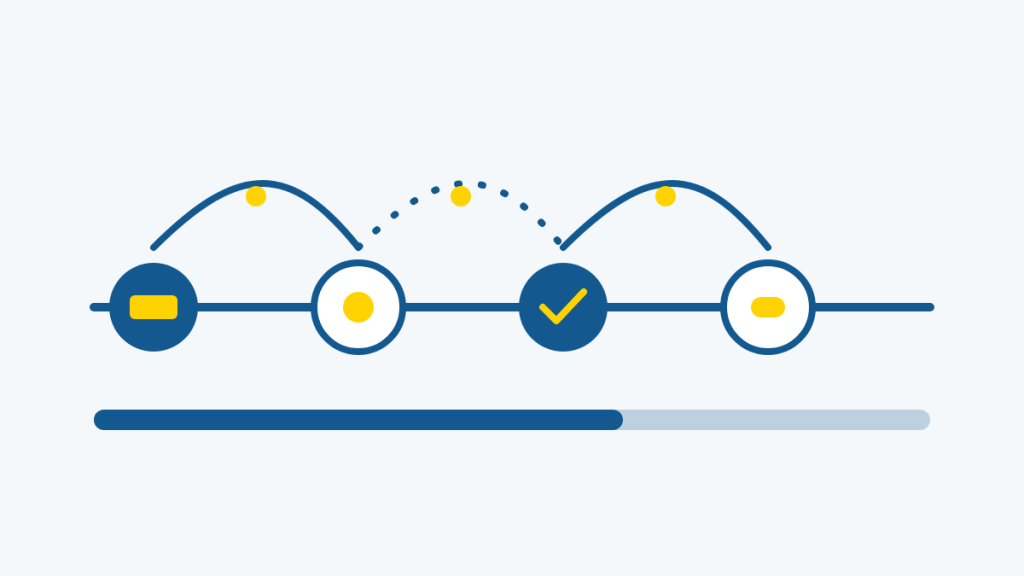
- January: full course with scenarios and a scored assessment.
- February: a five-minute refresher module on the two most-missed topics from the January assessment data.
- April: a scenario quiz embedded in a scheduled announcement, no login required.
- July: a branching “what would you do?” exercise tied to real incidents from the past two quarters.
- October: recertification window with auto-reminders ahead of the deadline.
Each touch is short and varied in format, which does double duty: it strengthens retention and it prevents the fatigue that turns reminders into background noise. Refresher content does not need to be long. In fact, short is the point, as we explored in Microlearning for People Who Have No Time for Training.
What Role Does Automation Play in Keeping the Calendar Running?
A twelve-month calendar planned by hand collapses the first time someone goes on leave. This is where an LMS earns its keep. Axis LMS is built for this pattern:
- Scheduled communication: announcements, reminders, and drip messages can be composed ahead of time and released on a schedule, so the calendar runs whether or not anyone remembers to press send.
- Enrollment automation: learners can be added to refresher sequences automatically based on role, completion date, or time elapsed, which is exactly how a nurture sequence segments its audience.
- Recertification workflows: compliance and certification renewals generate their own reminders ahead of expiry, removing the end-of-year scramble.
- Reporting that feeds the next touch: completion and assessment data show which topics are fading and for whom, so refresher content targets the actual gaps instead of re-sending everything.
This is the practical meaning of task automation: the calendar executes itself, and people step in only where judgment is needed.
How Do You Measure a Campaign-Style Training Program?
Campaign measurement never stops at “the email was delivered.” Training measurement should not stop at “the course was completed.” A calendar model gives you something better: multiple measurement points across time.
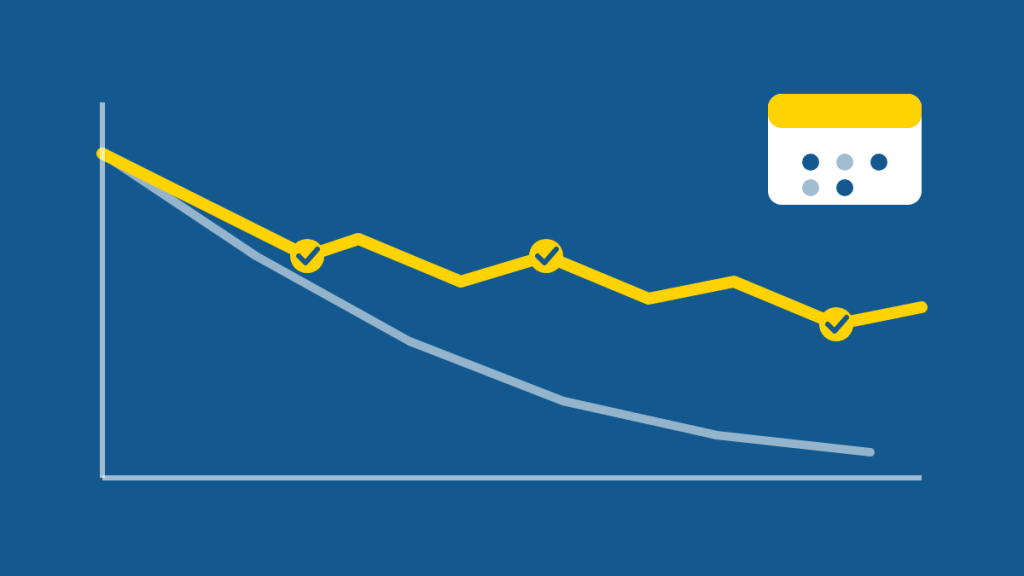
Useful indicators include:
- Retention over time: short knowledge checks at 30, 60, and 90 days after launch, compared against the launch-week scores.
- Cohort comparison: groups that received refreshers versus groups that did not, on the same assessment.
- Risk concentration: which topics and which teams generate the most assessment misses, quarter over quarter.
- Operational signals: error rates, support tickets, audit findings, or process deviations where training is a plausible cause or cure.
Axis LMS reporting is designed for this longitudinal view: dashboards and scheduled reports that track trends across months, not just a single course’s final grade. The platform behind this approach has been doing longitudinal training measurement for decades, which matters when you want year-over-year comparisons rather than a fresh start every January.
The shift in mindset is the real unlock. When training is measured the way campaigns are measured, “did they finish?” becomes “did anything stick, and what should the next touch be?”
Frequently Asked Questions
How often should refresher training run?
There is no universal interval, but a common rhythm is a first refresher at 30 to 60 days, a second at 90 days, then quarterly or semi-annual touches depending on risk and regulatory requirements. Let assessment data, not the calendar alone, decide which topics need the next touch.
Does an always-on calendar mean more work for the training team?
Up front, yes: designing the calendar takes planning. Ongoing, it should mean less scrambling. Automation handles the scheduling and reminders, refresher modules are short by design, and reporting tells you where attention is actually needed instead of guessing.
Can this approach work for selling courses externally?
Yes. The same cadence logic applies to commercial training: a launch sequence, follow-up content, renewal reminders for certifications, and progress-based messaging. Axis LMS includes e-commerce tools for selling courses, so the marketing calendar and the learning calendar can run on the same platform (Marketing Online Training Courses: From Launch to Ongoing Sales covers the selling side in depth).
What is the first step to moving from event-based training to a calendar?
Take your most important existing course and plan just one quarter of follow-up touches: one refresher, one scenario check, one measurement point. Run it, compare retention against the launch scores, and expand the calendar from there with evidence in hand.
