Axis LMS Manager Admins

Inside Axis LMS, your users can be 'learners', or 'managers'.
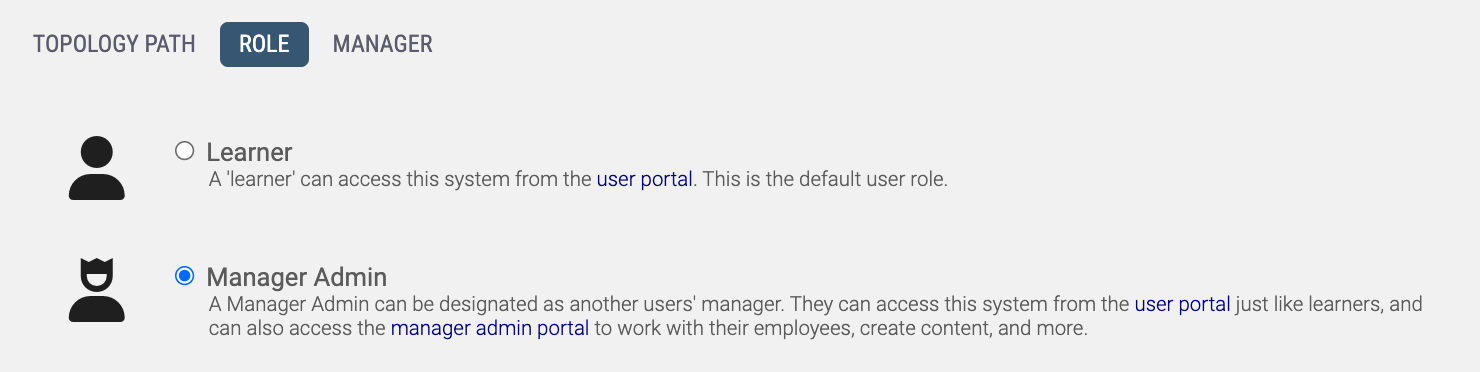
By setting a user's role to "Manager" you can create a personnel topology inside your LMS. However, Manager is not just a title; you can also pass down access to different functionality depending on what you want each of the managers to handle. Also, any content created by a manager is tagged with a keyword unique to that manager - this helps identify each manager's content, as well as allowing them to share their content with other managers.
Updating a User's Role
You can change a user's role from Learner to Manager by selecting the user from the Manage Users area, then clicking on the Role & Topology icon. Click on the Role tab, and then choose either Learner or Manager.
You can change a user's role from Learner to Manager by selecting the user from the Manage Users area, then clicking on the Role & Topology icon. Click on the Role tab, and then choose either Learner or Manager.
Assigning a Manager
Whether your user is a Learner or a Manager, they can still be assigned to a manager. Both roles will report to their assigned manager, but lower level managers can have users of their own below them. To assign your users a manager, you'll need to have at least one user with the role of Manage.
Whether your user is a Learner or a Manager, they can still be assigned to a manager. Both roles will report to their assigned manager, but lower level managers can have users of their own below them. To assign your users a manager, you'll need to have at least one user with the role of Manage.
You can assign a manager by selecting a user from the Manage Users area, then clicking on the Manager Permissions icon. Click on the Manager tab, then select a manager the user will report to. If no manager is selected, then you (the admin) become a makeshift manager; as only you will be able to manage that user.
Topology Path
Below is a top level manager for the system, as seen from the Topology Path layout. You can see all the managers immediately under him.
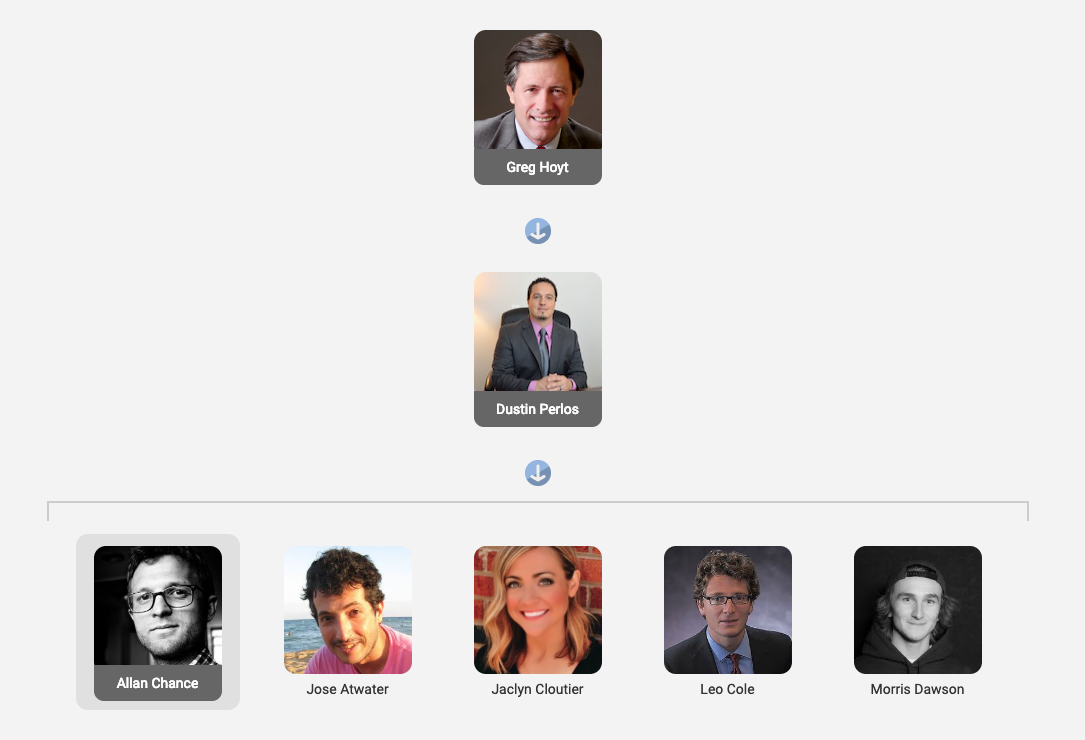 By clicking one of the managers below him, you can see all of the users and managers directly below her. You can also see the manager that is supervising her.
Eventually this breaks down to one manager all the "learner" users under their control.
By clicking one of the managers below him, you can see all of the users and managers directly below her. You can also see the manager that is supervising her.
Eventually this breaks down to one manager all the "learner" users under their control.
Below is a top level manager for the system, as seen from the Topology Path layout. You can see all the managers immediately under him.
Manager Permissions
Managers only have access to the tabs and abilities you permit them. Also, they can only pass these permissions down to managers below them - if a manager does not have access to a tab, they cannot give that access to a manager below them.
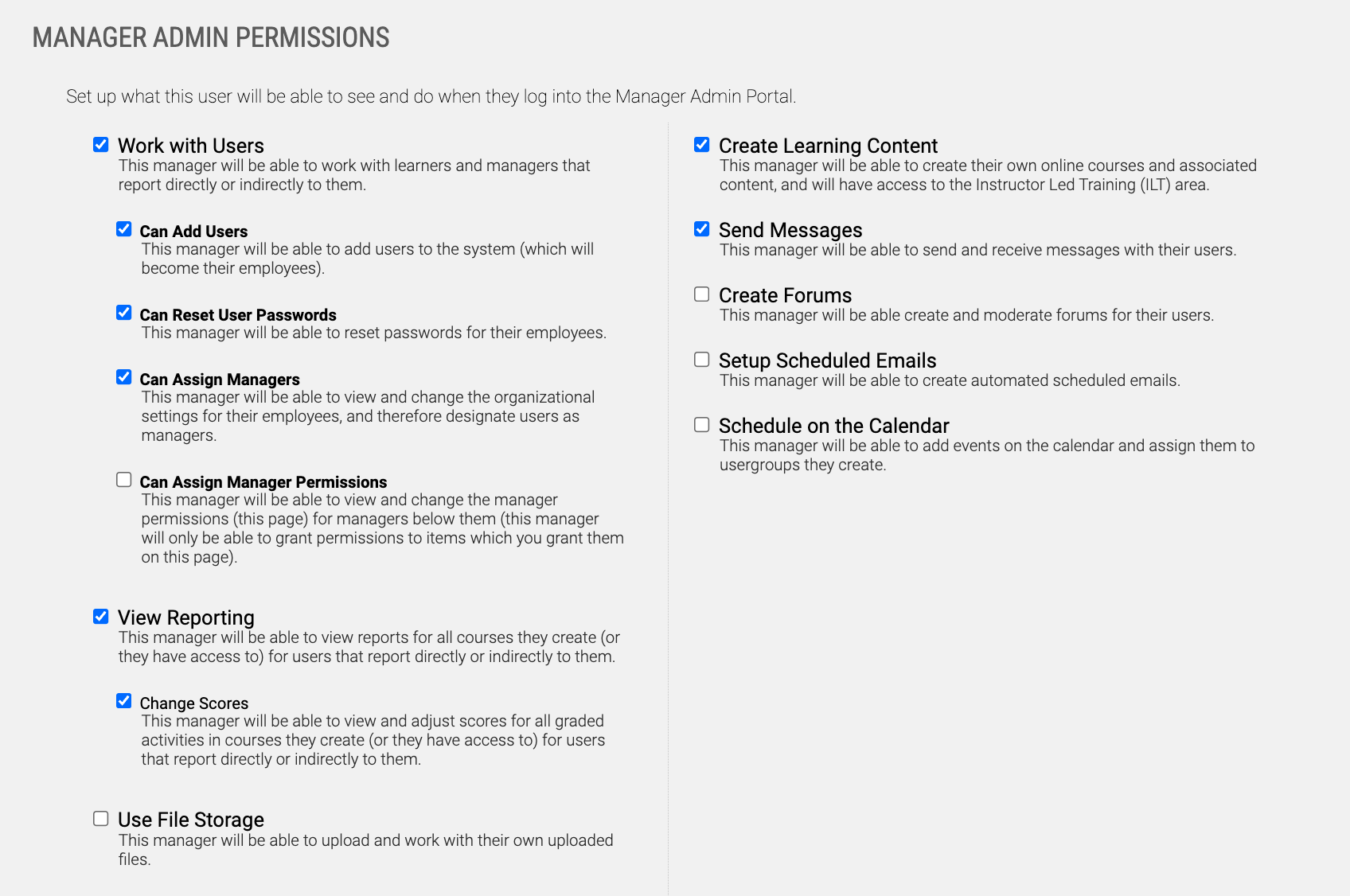 Manager Permissions can be accessed and edited by selecting a manager from the Manage Users area, then clicking on the Manager Permissions icon.
Managers only have access to the tabs and abilities you permit them. Also, they can only pass these permissions down to managers below them - if a manager does not have access to a tab, they cannot give that access to a manager below them.
Manager Log-In
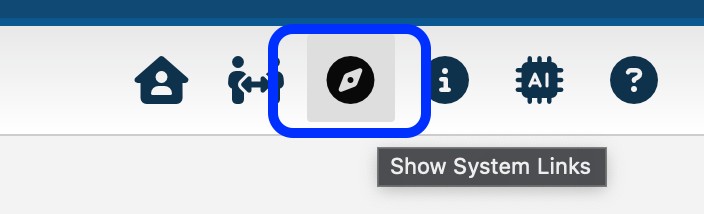
The manager log-in link can be obtained by clicking on the links button at the top right on your admin dashboard.
Opening the links dialogue will show you the link you need to distribute to your managers so they can log in.